
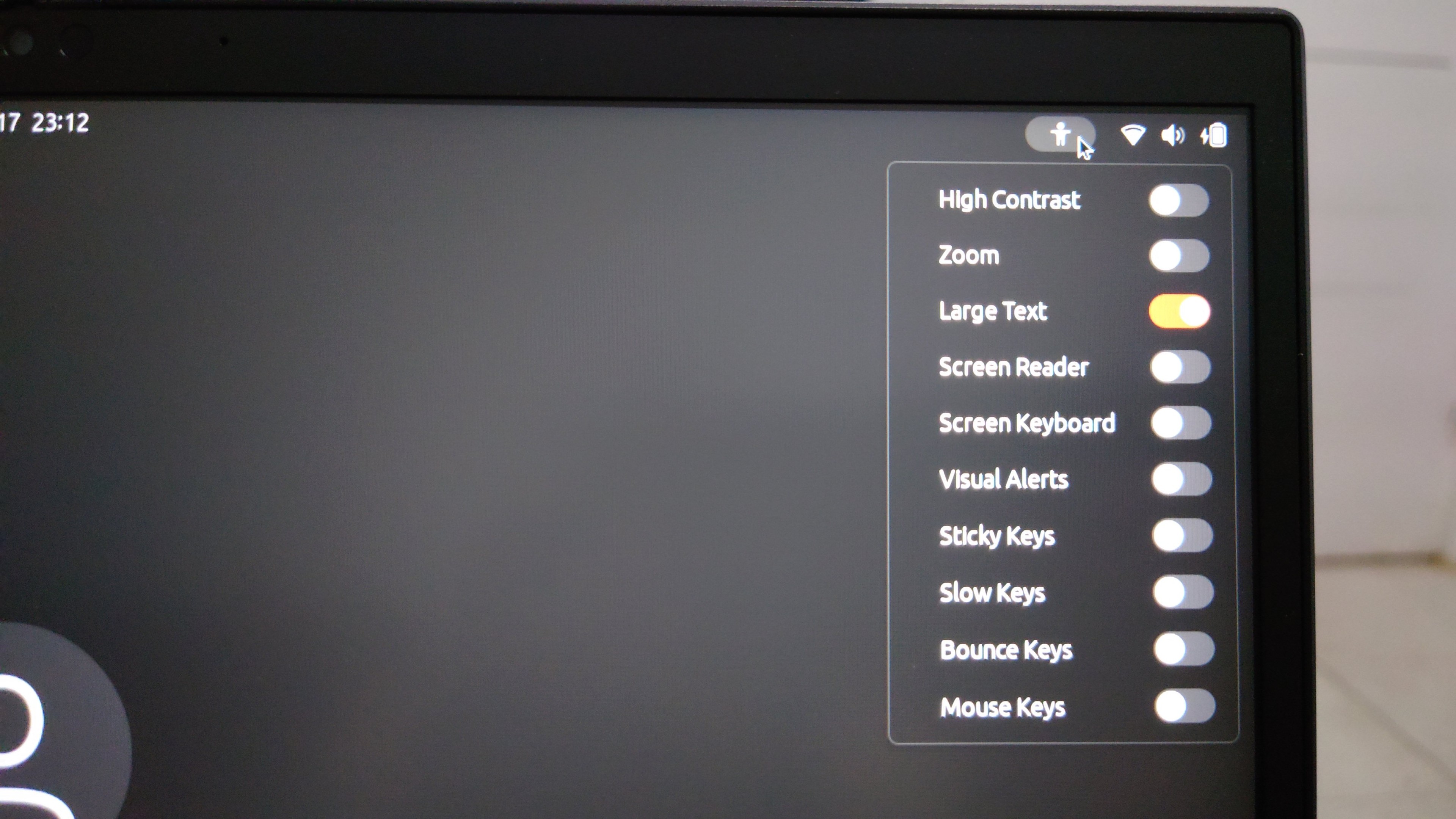
Wait, hold on! I was saying I couldn't get the login screen to use hidpi sized text like the logged-in GUI sessions, but there's a "large text" option in the login screen and always has been, under what I guess is the accessibility menu. I just didn't realize it because until the large text option was turned on the option to turn on large text was in small text
Update: I am in hell. I don't know what it was, if it was selecting "large text" in the installer, or selecting it at the login screen once, or what, but my login session now has the "large text" accessibility option stuck on and I cannot turn it off. If I turn it off in the accessibility menu it just turns itself back on on next login. If I turn it off on the accessibility settings, then close and reopen same, it's back on. "Large text" stacks with display scaling so now everything is too large
Also, this is... this is one of the weirdest problems I've ever seen so I barely know how to describe it, but I'm having a *repeated* problem, in both Ubuntu 22.04 LTS and 23.10, where clicks on the title bar of a window will "fall through" the window and be applied to whatever window is *behind* the one I clicked on, at the exact point in the screen where I clicked. Has anyone ever seen anything like this, I am baffled
Whelp, this is frustrating. I switched from 22.04 to 23.10 to get Firefox to support hidpi scaling, and that worked, BUT now all the text is impractically large, so it's kinda hard to like... use the laptop. I had sincerely expected I'd have a working OS by the end of the day, but I've installed Linux twice and still don't, and I'm uncertain whether to start configuring in case I need to do it a third time. I guess next time I pick up this laptop it's gonna be to start filing bugs?
I think the thing that's just killing me here is that I got *so close*. I *almost* achieved the feat of going from "zero" to "usable Linux system" in one day. But the distance between "almost good enough" and "good enough" is infinite
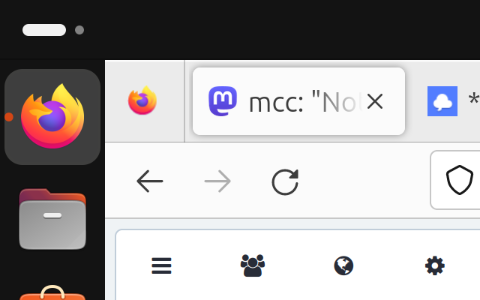
One more "wait, what" for the road: If I open up "non-advanced mode" in Mastodon, I get a completely different layout on Linux than I do on Windows. Like, completely different. On the web page. I think something about my "large text" problem is causing Mastodon I'm running on a mobile size screen
Thanks everyone who's helped me with both Linux and Windows today. I'm going to go to bed now and definitely not cry
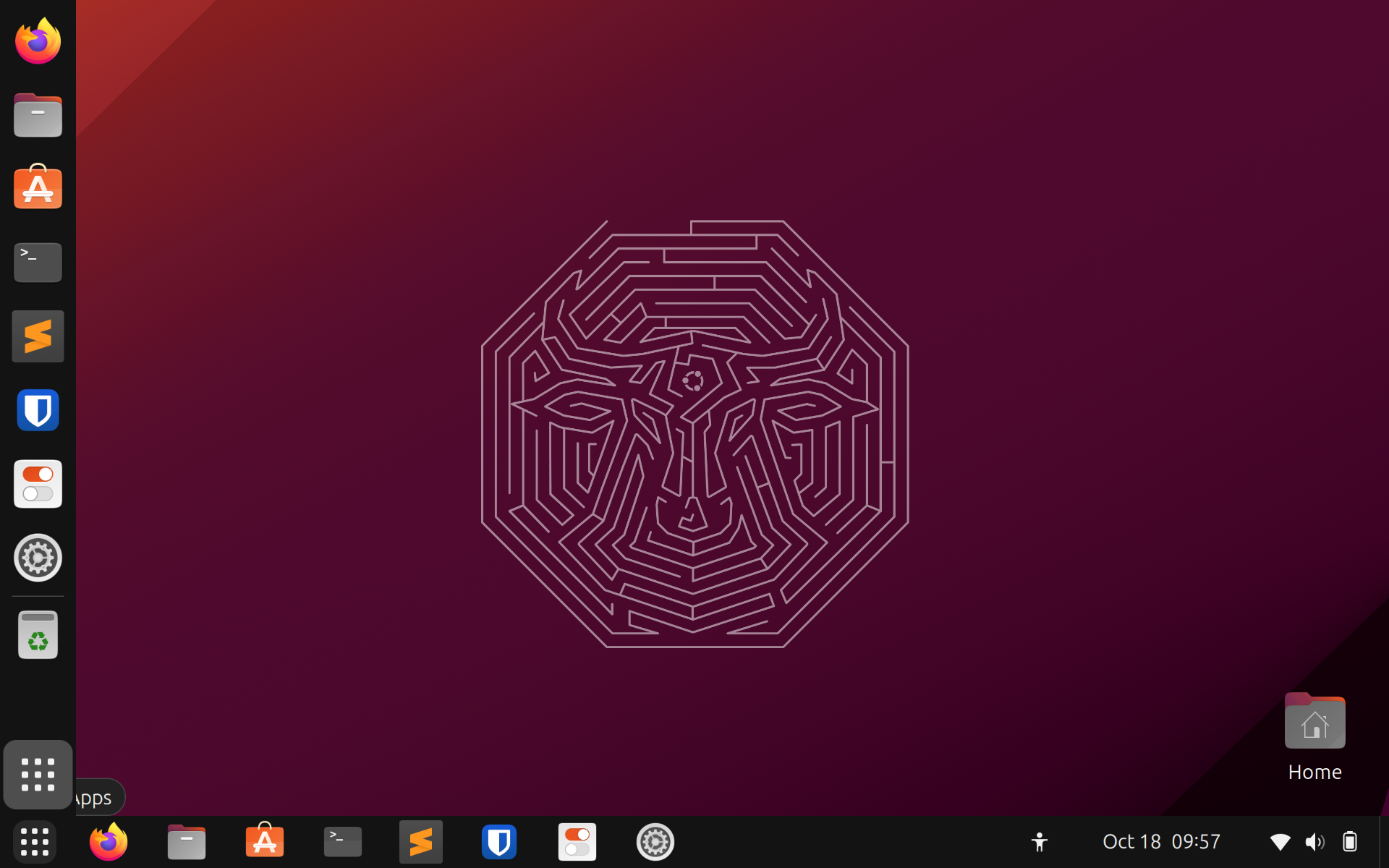
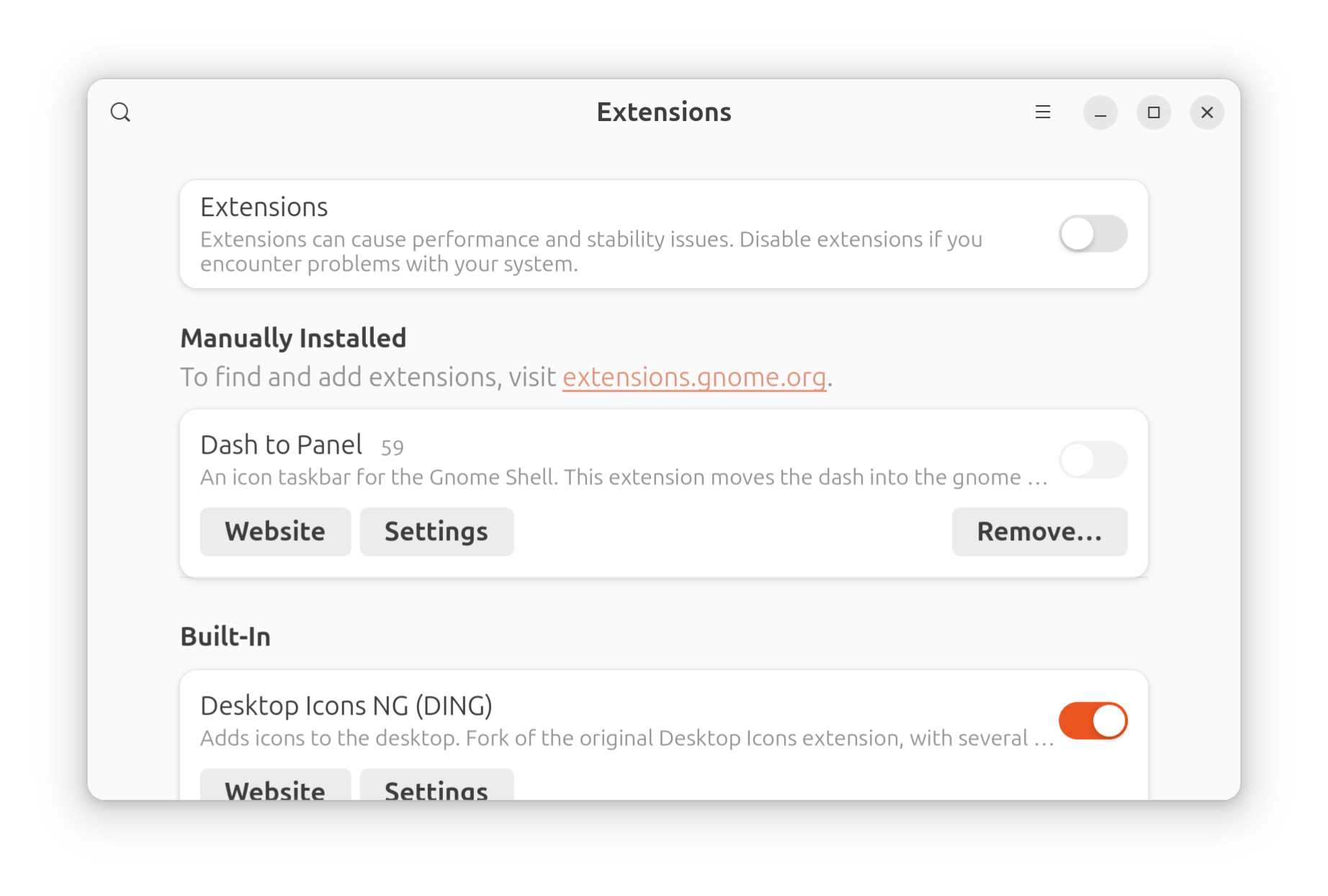
First discovery on waking up: One of the main things I like to do to configure current Linux is install the "dash to panel" extension, which merges the left-side bar and the top bar so you just have the one bar. Because why on earth not. I don't need two bars, I barely need one. Anyway it turns out that between 22.04 and 23.10 something broke such that enabling this extension, then logging out and back in, gives you two taskbars
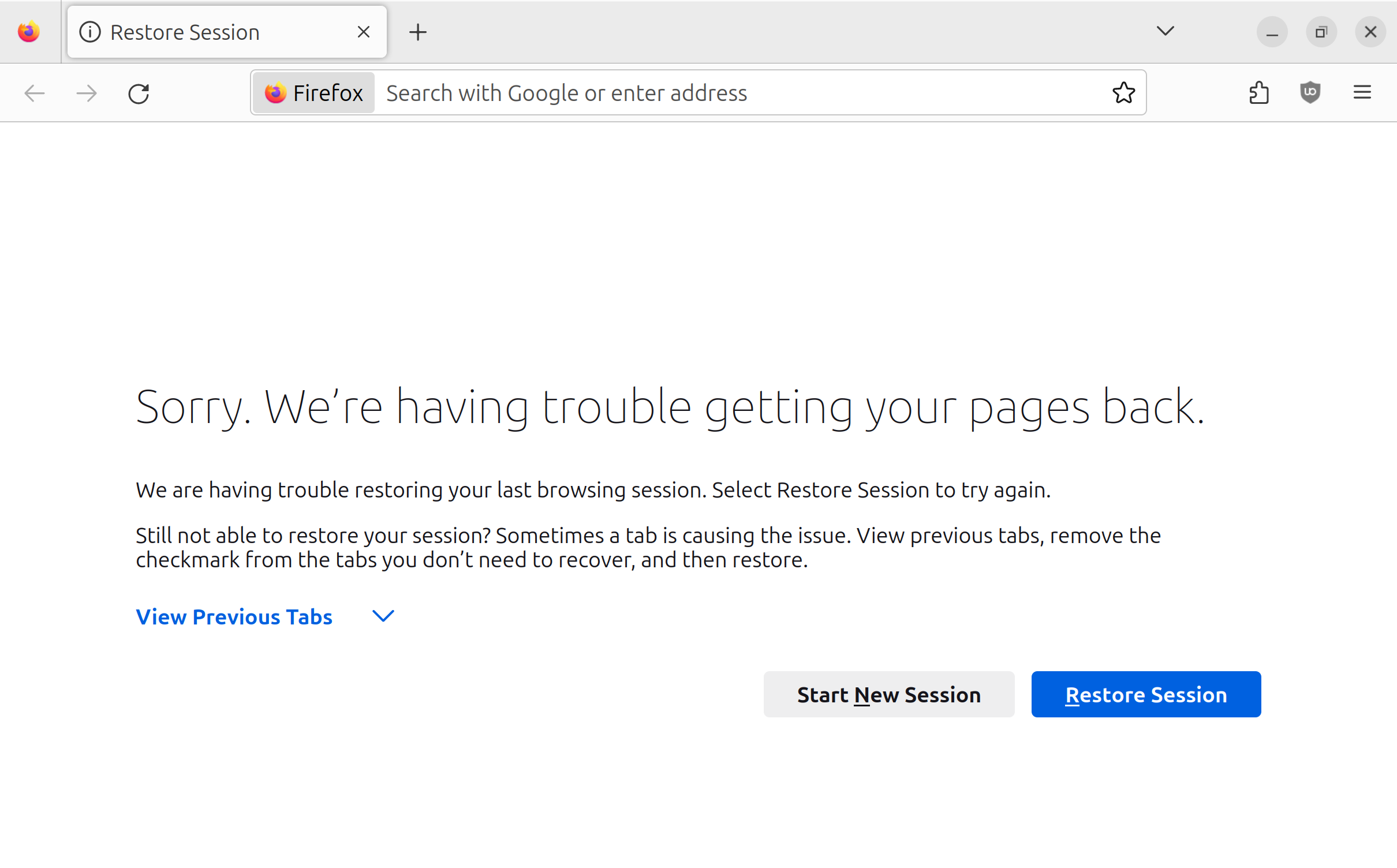
Does anyone have an idea of why I get this screen in my firefox for linux ALMOST EVERY time I log out and back in? I'd say it's like 75-90% of the time.
I actually didn't *tell* it to restore my pages. So it's doing something I didn't ask and then presenting me with an error it couldn't do the thing it decided to do on its own.
Clicking "Restore Session" instantly and fully restores my previous tab.
Got an observation this is because logging out is not closing "properly". However, on other operating systems, such as Mac or Windows, selecting logout will briefly attempt to kill things properly before just terminating the process. Is it surprising that Ubuntu 23.10 is acting otherwise?
Okay. I had a stack of four bugs to file (too large text, can't turn accessibility text off; two start bars; bitwarden doesn't work with 150% display scale; updates to Chrome+Wayland+XCompose bug). I have now filed one of the bugs. https://github.com/home-sweet-gnome/dash-to-panel/issues/1973 Unfortunately: The process of testing the dash-to-panel bug caused me to find two new bugs in Ubuntu 23.10. The stack is only growing.
Update: While attempting to log in to Ubuntu's "Launchpad" platform to file a bug, I found a bug in Ubuntu's "Launchpad" platform.
On logging in, I discovered I'd been assigned a username I didn't care for. I attempted to change it. I got: "Because you have a Launchpad account, you will need to change your username from Launchpad." Notice, in the screenshot, I am on login.launchpad.net.
Note that normally I would have annotated the screenshot rather than just describing things, but I don't have a usable image editor app on Linux yet. I briefly tried installing Krita to fix the bug. This is how I discovered that Krita does not support wayland display scaling
While trying to post a screenshot of a bug I encountered while trying to log into a bug reporter service to report a bug, I discovered a bug
Okay. So it turns out that when login.launchpad.net told me that they could not change my username because I had to do it on launchpad, what they were trying to communicate to me is that launchpad.net and login.launchpad.net are two different and unrelated websites. I.. guess.. that.. makes.. sense.
The good news is that the process of changing my username on launchpad.net somehow automatically changed my profile image from blank to "Fluttershy" from My Little Pony. This is delightful.
The single thing that most frustrates me about Gnome is that if you right-click something in the dock, the menu does not offer a "what is this?" option of any kind. There is an icon named "Settings" in my dock. The Launchpad docs are VERY CLEAR that I should NOT file a bug on ubuntu-settings if the bug is actually on gnome-control-center. So which is this icon? Who can say?
Like, even Mac OS, the OS that famously hides any information it thinks a user doesn't "need" to know, lets you right click a dock icon and say "show in folder"!
Very minor Ubuntu oddity: It comes shipped with Firefox and Thunderbird. Firefox is installed via snap, and updated/removed through the "App Center" app. Thunderbird is installed via, and updated/removed via, regular Debian apt. I don't think either of these are right or wrong. It's just strange to me they're not the same.
OKAY HEY WTF I CLOSED MY THINKPAD, WENT TO THE RESTROOM, CAME BACK, ENTERED MY PASSWORD AND IT HAD LOGGED ME OUT AND KILLED ALL MY APPS. BLANK SLATE
WTF
This really feels like an issue I should not have to worry about in 2023!!! I will throw it on the pile of issues that Ubuntu had out of the box but which it really feels I should not have to deal with in 2023
Note: If you reply to this with "well you shouldn't have used Ubuntu" I will simply not believe you. Since installing this yesterday, I have been told both "you should have installed Arch, not Ubuntu" and "you should have installed Fedora, not Ubuntu". Those are opposites. You are telling me to go east and to go west at the same time. If I had installed Arch or Fedora I would have simply got a different list of unacceptable issues.
*Sighs, setting aside laptop* time to stop looking at BAD RECTANGLE (laptop running horribly broken Ubuntu 23.10) and look at GOOD RECTANGLE (desktop running somehow perfectly fine Ubuntu 23.04)
I am really amazed by the ability of IRC channels in the modern era to contain literally over one thousand people yet have no one talking at all and no one who responds if you ask a question
People complain about Discords but you know something I've noticed about projects that create a Discord for their help channels? People talk in them
Filed a bug on Ubuntu for my "can't turn off large text accessibility option" bug: https://bugs.launchpad.net/ubuntu/+bug/2039722
So far this week I have had more luck reaching Ubuntu maintainers by loudly complaining on Mastodon than I have in the official IRC help channel, so if you know how to find someone who can either tell me what package/category to put the bug in, or what diagnostic data to gather before I go nuclear on my gsettings and possibly destroy useful debugging data, help much appreciated.
Also as long as I am loudly complaining about Ubuntu: I do not like that new Ubuntu (starting with 23.10) has a permanent icon in the top left that looks like a USB-C plug. I don't think this is a descriptive icon and the thing it does is mildly unhelpful. It is distracting me for reasons I cannot elucidate. Yes, I am very picky about UIs.
Y'all I cannot express enough how much "try installing a few different distros in rapid succession in case one coincidentally turns out not to have problems with acpi and/or wayland dpi scaling" is not helpful advice. What I am *specifically trying to do* is stop installing Linux. I want to use Linux. Installing multiple distros means *more* installing Linux not less
Like if the version of your recommendation is "I'm using Fedora/Pop_OS/Manjaro on a Lenovo ThinkPad T14 Gen 3 (AMD) and it has correct suspend/restore behavior on closed-lid sleep" then I will listen to that but otherwise it just sounds like rolling dice
Also although I'm willing to believe Fedora is very nice I have to admit I am really concerned about trying to use a distro that is downstream from a corporate distro (IBM) which is apparently trying so hard to kill it it's willing to violate the GPL to do so https://www.itworldcanada.com/article/red-hat-decision-turns-world-of-open-source-linux-upside-down/543157
I am willing to listen to arguments why this is not a reasonable concern
I have managed to convince myself that the suspend/wake problem on closing the ThinkPad lid is a regression from 22.04 LTS so on recommendation of the IRC channel I filed a bug
https://bugs.launchpad.net/ubuntu/+source/linux/+bug/2039731 or rather they gave me a command to gather logs and it filed a bug so I'm rolling with it LOL
Gonna try booting into the laptop UEFI settings and seeing what I can do there but-- (1/2)
--as I describe in the bug, I am struggling to figure out on my own something I feel like I ought to be able to figure out.
The obvious question with this symptom is
- Is the laptop shutting off?
- Is the laptop trying to hibernate (there are multiple hibernates; what kind?) and something is going wrong?
- Is it correctly hibernating/waking, and something (like the Wayland server) crashed along the way?
I feel like there ought to be a way to look at a log and see which of these happened (2/3)
I think (??? ??? ???) the current way to get such logs in systemd-era Linux is to use journalctl. Is there something I could read to get familiar enough with this I understand how to tell (1) what power/reboot events have recently occurred, at what timestamps, and with what cause [Windows Event Viewer distinguishes a power fail from an intentional reboot for example]? (2) What processes have recently crashed?
GNOME has a "Logs" program, but it is kinda useless (does not show timestamps??) (3/3)
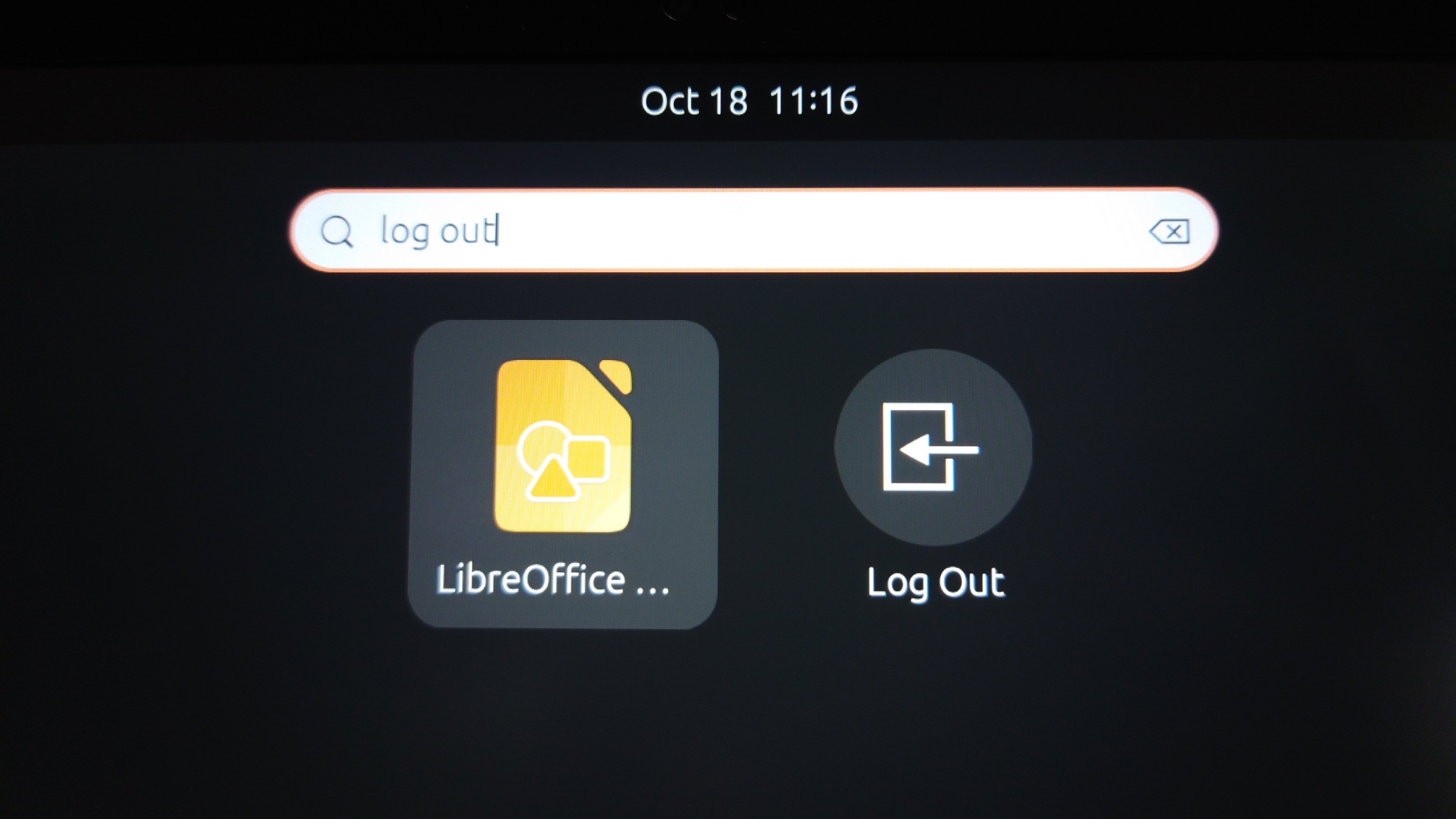
Can anyone help me develop a mental model for why, on searching for "log out" in the Ubuntu Gnome applications launcher, it concludes LibreOffice Draw is a more appropriate match than "Log Out"? It's not putting them in alphabetical order (per testing of other searches) and searching "logout" DOES match Log Out only (for some reason)
Okay I figured out how to get a journalctl log and what I learned is that I do not know what to do with a journalctl log once it is in front of me https://bugs.launchpad.net/ubuntu/+source/linux/+bug/2039731/comments/5
Well, I just by accident discovered that closing the lid is not necessary to make all GUI applications quit. I can also just but not touch the mouse or keyboard for a period of five to ten minutes. The screen never even turns off, it just goes back to the login screen and when I log in all my apps are gone. Okay.
Okay! I have discovered something! Every time I do the "bad login" (the one where my apps disappear) GNOME disables all extensions. It's supposed to only do that after a crash of some sort. This is good because it gives a hint what could be happening.
Now, the problem: I haven't identified any crash in the logs!
A previous, incorrect version of this post was deleted then recreated.
My google searches
linux who sent signal
systemd trace signal
how to log origin of signal systemd
log origin of signal strace
who killed my process
linux investigate murder
how to hire private detective
is humphry bogart real systemd
Sssso
Thanks to some help by very nice people @federicomena and @becomethewaifu , I now have explanations and almost-fixes for both my Ubuntu showstoppers
1. gnome-shell killed under certain circumstances, such as login, if you are using my exact video card https://bugs.launchpad.net/ubuntu/+source/mutter/+bug/2034619 new for 23.10, a fix was checked in 20 hours ago but isn't in apt yet
2. Apparently in Ubuntu 23.10 if you turn on the large text accessibility mode for ANY REASON you can't turn it off again https://bugs.launchpad.net/ubuntu/+source/gnome-settings-daemon/+bug/2039722/comments/7
Federico gave me a gsettings invocation which forces large text off, and that works, but if I ever turn large text on through the interface it's stuck on again
So, here is the conclusion I come to from this experience:
Part of the Ubuntu release process is that when a new version gets released, there are a few days between "it's released" (IE you can download ISOs) and "it's available" (IE you can get it through dist-upgrade/"Software Update"). If a version of Ubuntu is in this interregnum period, DO NOT INSTALL IT, because apparently it's secretly in a kinda-beta state. If I had just waited to install I could have saved so much time debugging :(



@mcc I tend to wait for the .1 update rather than release month, even for LTS. I do this because it's how the update system works post install e.g. LTS x-1.y will not auto update to LTS x.0 only when x.1 is out
And never, ever, have I used Wayland over X11. Yet. Sounds like from your experience it's still not ready :-\
@mcc man, computers suck sometimes

@falken oddly, this time I actually did install the .1 release, which increased my confidence level, although what I found out later was that this was not a proper .1 release but was an emergency thing necessitated by a low-grade anti-Ukranian cyberattack (really)