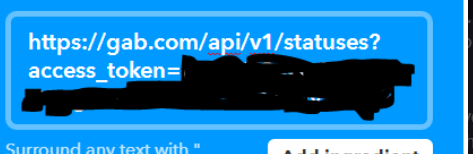
Step 9- For the URL space, type what you see here, but paste your access code into that blank space. If your using an instance other than Gab, change 'gab.com' to whatever for instances' URL is. Keep everything else in this image the same.
CleverLibre Social is an inclusive social instance for open discussion, learning, and community.
All cultures welcome.
Hate speech and harassment strictly forbidden.