
#Mastodon how do i search my own toots on the website interface?
I think that would help me be 1) more consistent and 2) build up a kind of knowledge base where i can honour counterpoints that i have acknowledged before without having to remember them all in detail.

@admitsWrongIfProven Full text search is available for your own toots if that is what you were wondering?
@trinsec Well if i search, i search everything, right?
I would rather look at a history of what i said than specifically search.
Is that possible?
@admitsWrongIfProven
Full text search doesn't work on the Fediverse, that's why it's been advised that if you want your posts to be discoverable by others that you use hashtags.
But it will work for all your toots and toots to you, hashtag or not.
But you just want a timeline to look at? Like going to your profile page and just scrolling down in there?
@trinsec Yes, that would be perfect if i could temporarily turn off that my boosts are shown. I think i heard about that functionality, do we have it?
@admitsWrongIfProven Unfortunately the turning off of boosts are just for your home timeline, and also toggleable per person you follow. I don't know how to toggle them off in your profile page, that would indeed be a useful feature.

How do you shut off boosted toots like that? (for the home timeline and especially for specific accounts)? I just stopped following someone the other day to get their boosted toots out my home timeline.
@Pat
For turning off all boosts in your home timeline, go to your home timeline and click on the options (sliding panel icon, right of your Home timeline header).
For turning off boosts of selected individuals, go to their profile page and click on the 3 dots, there is an option to 'Hide boosts from <name>'. (Only visible on a person you follow)
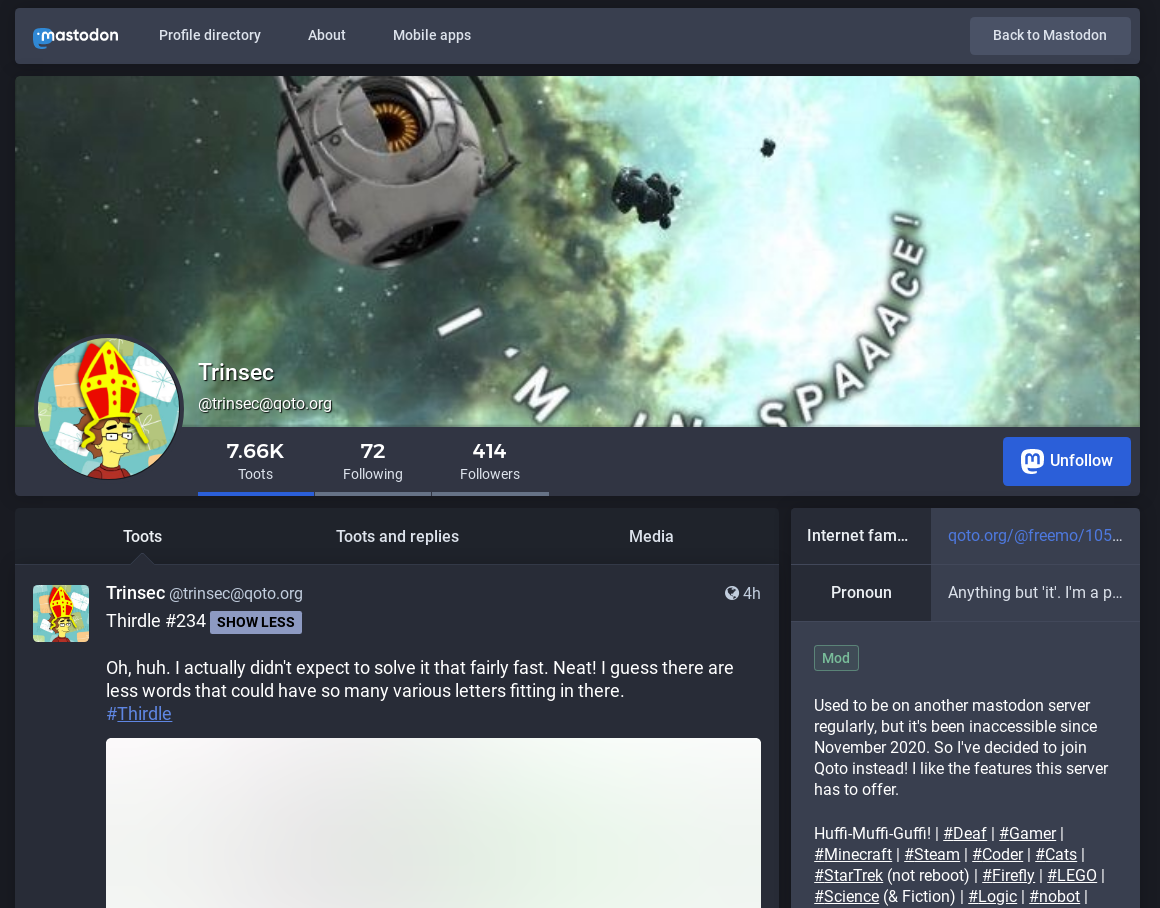
I found the slider on the home feed, but I can't find the 3-dots on profile pages.
@Pat
Not the web frontend profile page. Just click on my name right now, that profile page within your Qoto interface.
Okay. That's confusing. All I did was right-click on your name to open it in another browser tab, and it brought up the profile at:
https://qoto.org/@trinsec
(which doesn't have the 3-dot thingy)
The link, https://qoto.org/@trinsec, is what shows up when I hover the cursor over your name.
But when I just left-click on your name to bring it up under the current browser tab, it brings up the profile at:
https://qoto.org/web/accounts/19169
(which has the 3-dot thingy)
@admitsWrongIfProven
Thank you.
That whole parallel structure where toots and profiles can be opened in the web or via another route is confusing to me. I'm sure there must be a good reason for why the software was written that way, but it's confusing from a user standpoint.
