

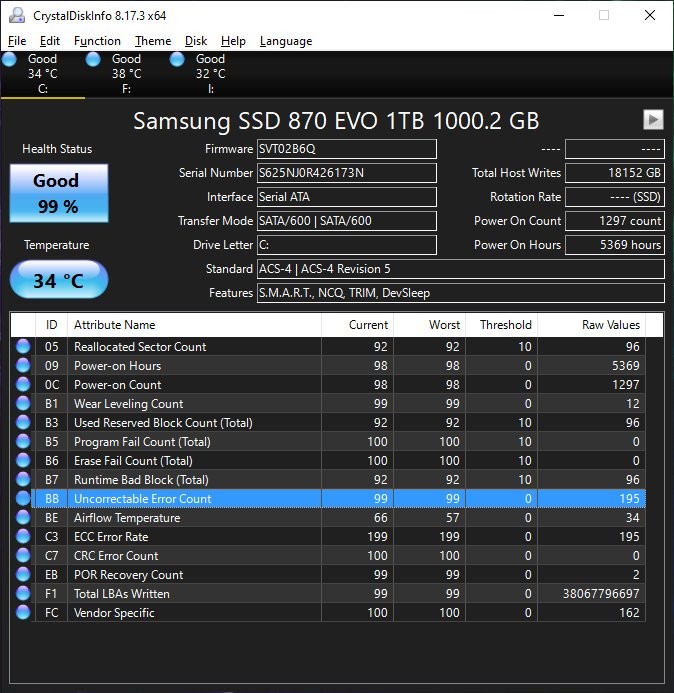
@dosnostalgic Great tool you're using.
Few thoughts from memory (none of these perfect and did read more after so no all applies):
█ Might not be broken, try more small tests before big moves... like
▄ e.g. Use a file copier that does a hash check after each file as a good indicator and checker, like TeraCopy http://codesector.com
█ Different SSD tools may show different values sometimes.
I remember some values seemingly showing bad or different in some way but were like that since forever or had some allowance / buffer or something different.
▄Another tool to check could be SSD-Z http://aezay.dk/ and see the differences
Again these comments + and -... might not have a big problem
█ and yes do backup regular (perhaps now) :)
▄ maybe to new disk so older backup copy you have still just in case newest backup is corrupt (which you would find out only at time of reading individual files later!).
