#差生文具多系列
在VSCode里写Latex
你还在为Overleaf日常掉线崩溃吗?你还在改一个符号Compile一次而心累吗?快来体验本地实时编译预览Latex的快乐吧!
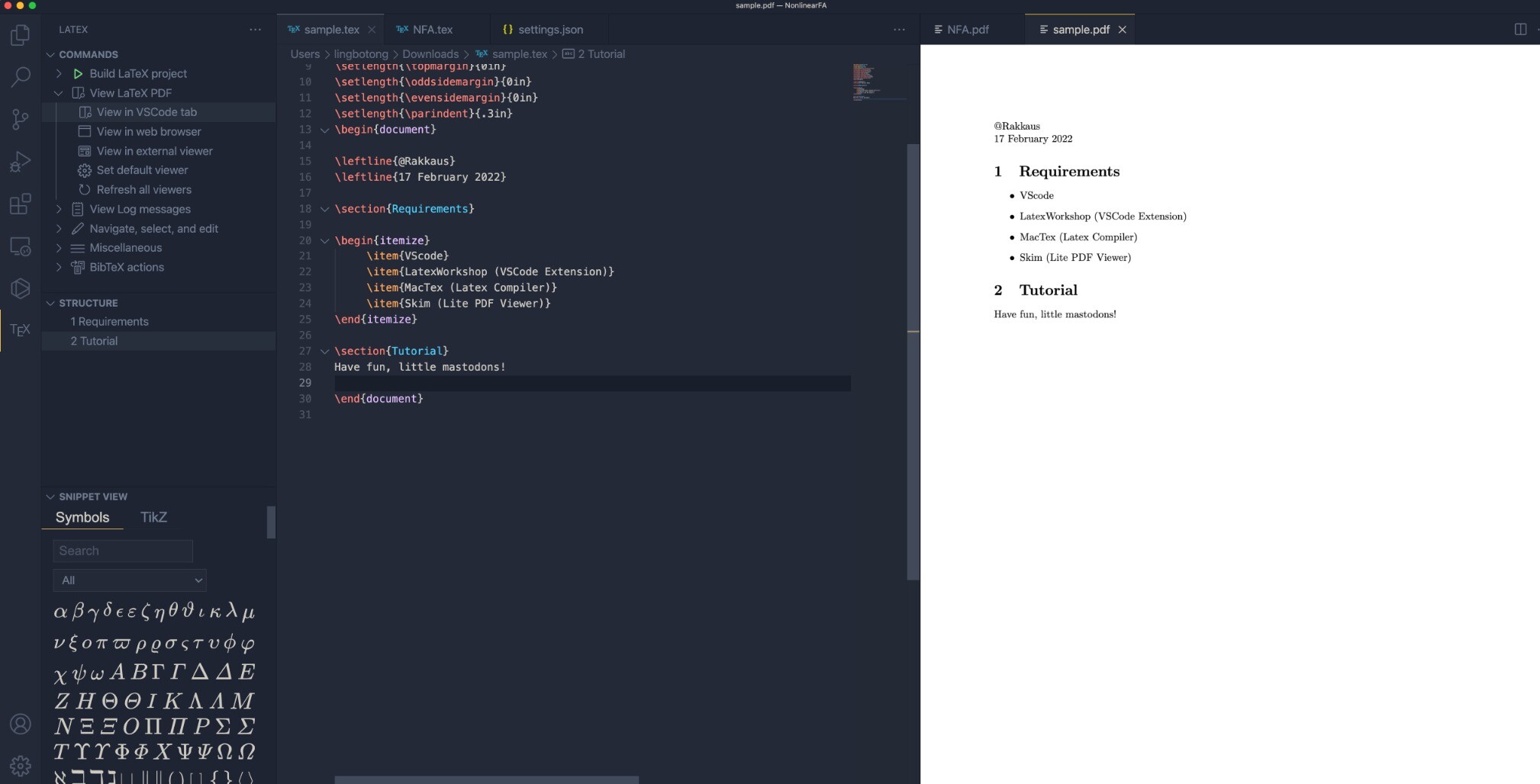
Mac配置:VScode + LatexWorkshop (VSCode插件) + MacTex (Latex编译器) + Skim (轻量级PDF Viewer) 图
Mac教程 [1]:
http://homepages.rpi.edu/home/36/wangy52/public_html/PersonalWebsite/build/html/Misc/Mac/VSCode/VSCode-LaTeX.html
Windows用户只需把MacTex替换成Win系统可用的Tex (e.g., Texlive) ,搜索相应教程即可。
[1] 该教程里有个小问题:我自己用brew装skim时发现安装路径和用Installer是一样的,都在Applications/下面。如果你也有同样的情况,记得配置pdf-view的时候复制"If you install Skim via installer..."下面的代码。
下图为我花15min配置好后的运行示意图。


@fulkrum 学到了! 谢谢!