
CSS input styling antics.
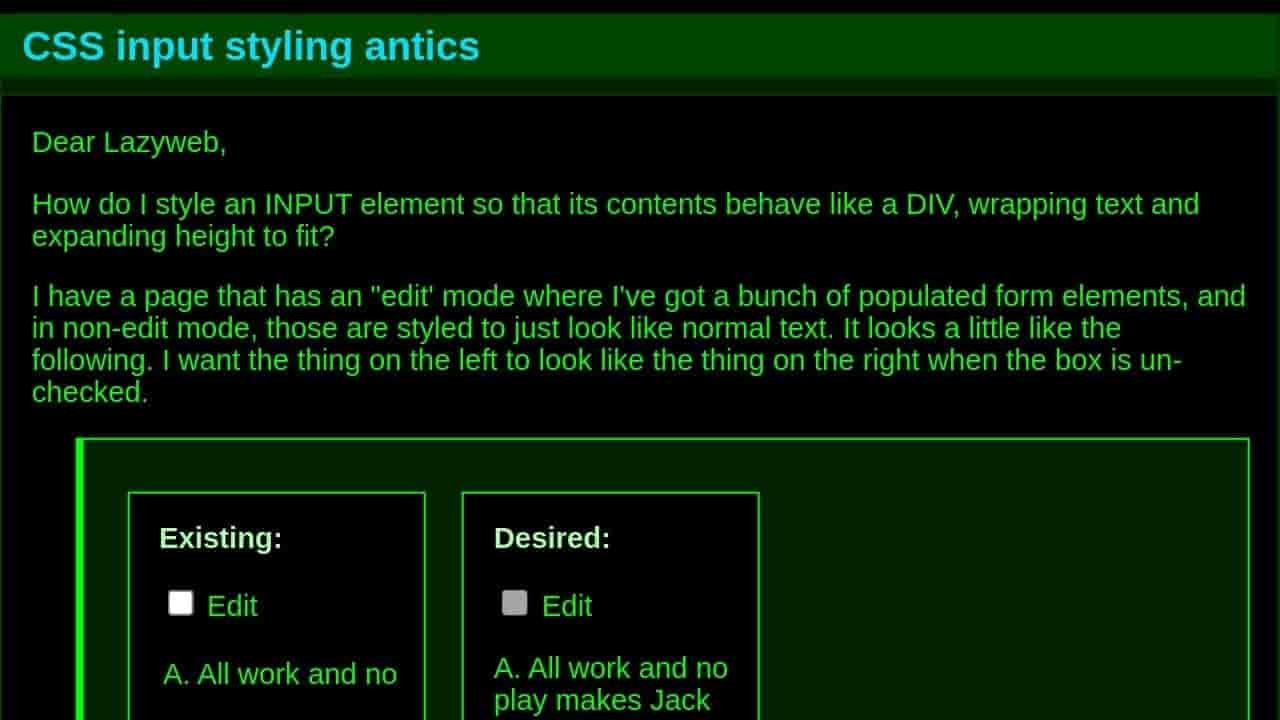
Dear Lazyweb, How do I style an INPUT element so that its contents behave like a DIV, wrapping text and expanding height to fit? I have a page that has an "edit' mode where I've got a bunch of populated form elements, and in...
https://jwz.org/b/ykEU

<Input> is for one line of plain text only, with no wrapping.
If you need multiline and line wrapping too, you should use <textarea>.
If plain text is not enough, there is contenteditable; but usually is a pain to manage, so if you can't avoid this requirement, you better use one of the many libraries for editing rich text.
Sorry, missed that point. You may find this helpful: https://css-tricks.com/the-cleanest-trick-for-autogrowing-textareas/
Why are you so hostile to using libraries? It is what everybody has been doing for rich text editing since rich text editing on the web became a thing. Reinventing the wheel never was a good engineering practice.
You must be kidding. Every medium to big web application uses many external libraries. Why should they not?
If I were to tell a client that I am going to charge him 3 months of development, instead of adding a well know free small nicely working library, I would lost a client. Moreover, a library that has been tested and refined during years by thousands of developers is very likely to work much better than anything I can deliver in 3 months.
I try to avoid bloating my apps adding libraries mindlessly, but definitely there is a place for them. For example, if I have to display a complex interactive 3D element, I'm not making a 3D engine from scratch for it, unless I have strong reasons to do so.
If you have the budget and the time to never use any kind of libraries, be my guest. But don't even dream that the rest of us have that luxury, nor the inclination.
@jgg Fuck off, he explained. *plonk*

@jgg FWIW, I do this commercially, ie almost never use third-party code, with very few exceptions, in high-end client projects. It’s actually great for development pace, provided that you can build almost anything in a few days. 3rd party code adds up to a lot of cost down the line for a sufficiently senior dev team. Honestly I find many people tend to prefer a dramatic crackdown on 3rd-party libs around a transition from senior to principal levels.
@jwz @jgg
I wanted to make a resizeable panel - I could have used a multi-megabyte "bullshit framework" (after spending several days learning how to use it) or I could write 30 simple lines of JavaScript. I chose the latter. (I'm curious if there's a way of doing this with pure CSS; but I can live with this amount of pure JS)
There's an example of autogrowing a textarea here, using a bit of JS (I have not tested it): https://developer.mozilla.org/en-US/docs/Web/API/HTMLTextAreaElement
Adding a big library only to get something as trivial as a resizable panel makes as much sense as buying a car to cross the road. Adding a small one is like buying a skate.
@jgg @jwz
It would be nice if there were libraries of "do only one thing and do it well" (such as AutoGrowTextArea), but instead we seem to have "frameworks" (I though that Taligent showed the folly of that approach). On the other hand, the trick I found at Mozilla's website depends on a combination of HTML, CSS, and JS and it's not obvious how to turn that into a library function (the autoGrow() is only a couple of lines, so cut&paste seems to be reasonable here).
The code I wrote for a resizeable panel might be a candidate for turning into a library function but it assumes a particular way of building the page - there's probably a way to make it more general but it'd start to look like a "framework".
If you're interested in my resizeable panel, the code is here (the page is built dynamically by renderPage() using async callbacks (yuck), within a skeleton of HTML <div>s).
https://github.com/kamahen/pykythe/blob/475b51fd9478b2ed22b317f53cee45127e6901d2/browser/static/src_browser.js#L171
I find the same issue with that kind of libraries. You take something that seems standard and easy, find a nice library for it, and it never does exactly as you want/need, unless you are willing to write more code to coerce it than you would have to write first place.
I try to avoid using big UI frameworks; they make easy the easy things, but harder the hard ones, so they are the opposite of what I want. They end feeling like a straitjacket.
The libraries I find really useful are the ones that give very specialized functionality that would be crazy to implement by myself (e.g. 3D engines) or are really flexible (jQuery in its time, Vue, React...). I want freedom and being more capable, not more limitations.

@jgg Libraire are a good way to get there fast. Writing for own is a good way to learn. I'm with @jwz here 🙂
From experience, these effortless solutions can also start being a pita when you're no longer developing and are forced to upgrade, while my "reinvented wheels" tend to remain rock solid for many years. It's always a trade-off that also depend on your goals.

@jgg Why am I so hostile to libraries? Because I'm not the kind of person who buys a new car because the "check engine" light came on.
But please, lecture me on good engineering practices. I'm sure you have a lot to teach me.