
Any recommendations for a home server / NAS?
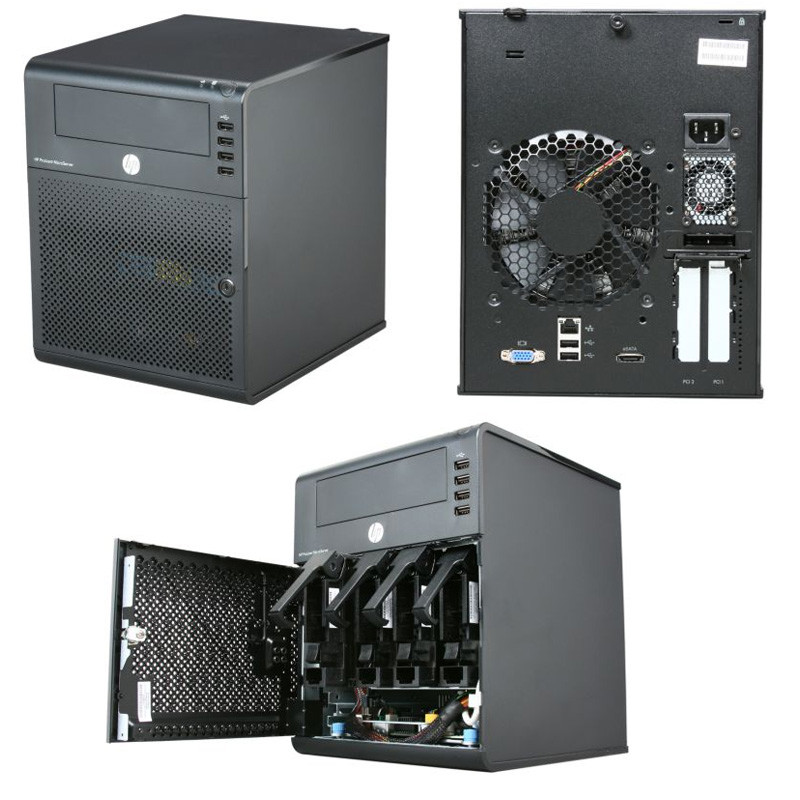
My HP Proliant N36L is showing its age. Looking for something cheap and Linux-friendly.
Four years later and... I'm still running the same hardware!
I probably ought to upgrade the disks and the RAM at some point - but it is *such* a workhorse.
I've ended up with… Ubuntu!
The Debian website is a perfect mix of confusing, condescending, and off-putting. It implies my choices are outdated software or broken software.
So, as annoying as Canonical can be, at least I know what I'm getting with them. And their documentation is much better.
Interestingly, this new HP Microserver has an internal MicroSD slot.
I've got *lots* of spare cards. But, obviously, they're slow for reading/writing.
What could I use 8GB of slow storage for?
Ha! The HP gen8 Microserver doesn't have UEFI - so modern versions of Ubuntu's installer simply don't work on it.
That's… Annoying!
Now having to futz around with new ways of making bootable USB sticks.
#Linux is FUN AND EASY TO USE!
OK, #ZFS with compression is basically magic. It's like the old "disk doubler" trick.
However, it does seem to have clobbered my write speeds. Only 16MB/s...
Hmmm. More tuning needed, I suspect.
Grrrr #ZFS is doing my nut in!
Starts off with write speeds of ~100MB/s.
And, after a few GB slows down to about 12MB/s...
WTAF?
Tuned it with
`sudo zpool create -O utf8only=on -O normalization=formD -O atime=off -O compression=lz4 -O ashift=12 -O dedup=off`
Wondering about going back to RAID at this rate.
I may have been too hasty.
Went sperlunking through the BIOS and turned on drive write caching. That appears to have improved the performance.
And, it seems, wget is much faster than scp.

What is write caching?
Write caching is used to improve performance by using the volatile memory (RAM) to collect write commands sent to a storage device. Caching these commands allows the computer to temporarily save them until it's written to an external storage device.
While it’s true that write caching improves performance, some precautions need to be taken. It’s important to be aware of the risks such as data loss or data corruption due to power loss, hardware failure, or not safely ejecting the device simply because the data left in the RAM has not been written to the external storage device. For more information see this linked Microsoft article.
NOTE: It’s extremely important to safely remove your external storage device before disconnecting it from your computer. Safely removing instructions are provided below.
https://www.seagate.com/support/kb/how-to-improve-performance-of-an-external-drive-in-windows/
============================================
Mind you, I prefer #debian but have not tried #zfs . Nor have I attempted to use drive write cache with zfs. Personally, I'd be skeptical to try it on critical data- it would have to be tested first before I had faith committing to it.
I'd be interested to hear how well this goes for you as you proceed.
@lucifargundam It's attached to a hefty USP. I'm quite happy with that trade off.

@lucifargundam why don't you tell me?