
The Nerderati keep talking about this (“…very few people know that Apple’s passwords can also…”), but no one has yet explained *how* to do it.
Any explainers out there? TidBITS article idea, @adamengst ? https://mastodon.social/@dsilverman/110100666219963991

@KingShawn @adamengst Indeed. @gruber quoted this post, adding that people don't realize it can import hidden behind a "..." button, but I spent quite a while looking around for a "..." button or import options, with no success.
My Settings->Passwords has a search box, a "+" to add a new entry, an "Edit" to allow multi-select, and then "Password Options" which let me AutoFill or not, and allow filling from iCloud and/or 1Password, but that doesn't seem to be "import" as described. I do note that when I uncheck and re-check 1Password, it gives me a popup that says "AutoFill passwords updating," so maybe that's what they mean? It isn't clear how often that update happens, though, and it appears I still need 1Password installed for that to keep working, which isn't the same as importing to my mind. I can also "Set up verification codes using:" iCloud as well as the installed Duo and Okta apps, so that part's found. Indeed, when I tap on an existing entry in the passwords list, I can set up a verification code there, so no longer do I need to launch 1Password for that.
I guess I can experiment. Are all of these in my Settings->Passwords because I've put them there, or were they imported from 1Password so I don't need that app anymore? Let's try.
I went to 1Password and added a fake login for a fake website. I went to Settings->Passwords->Password Options, and unchecked then re-checked the 1Password option. It did its pop-up thing and now... the new entry still does not show up in the list. So no, that's not an import.
Beats me!

@pwinn @KingShawn @gruber Are you in Ventura? Seems fairly obvious there.
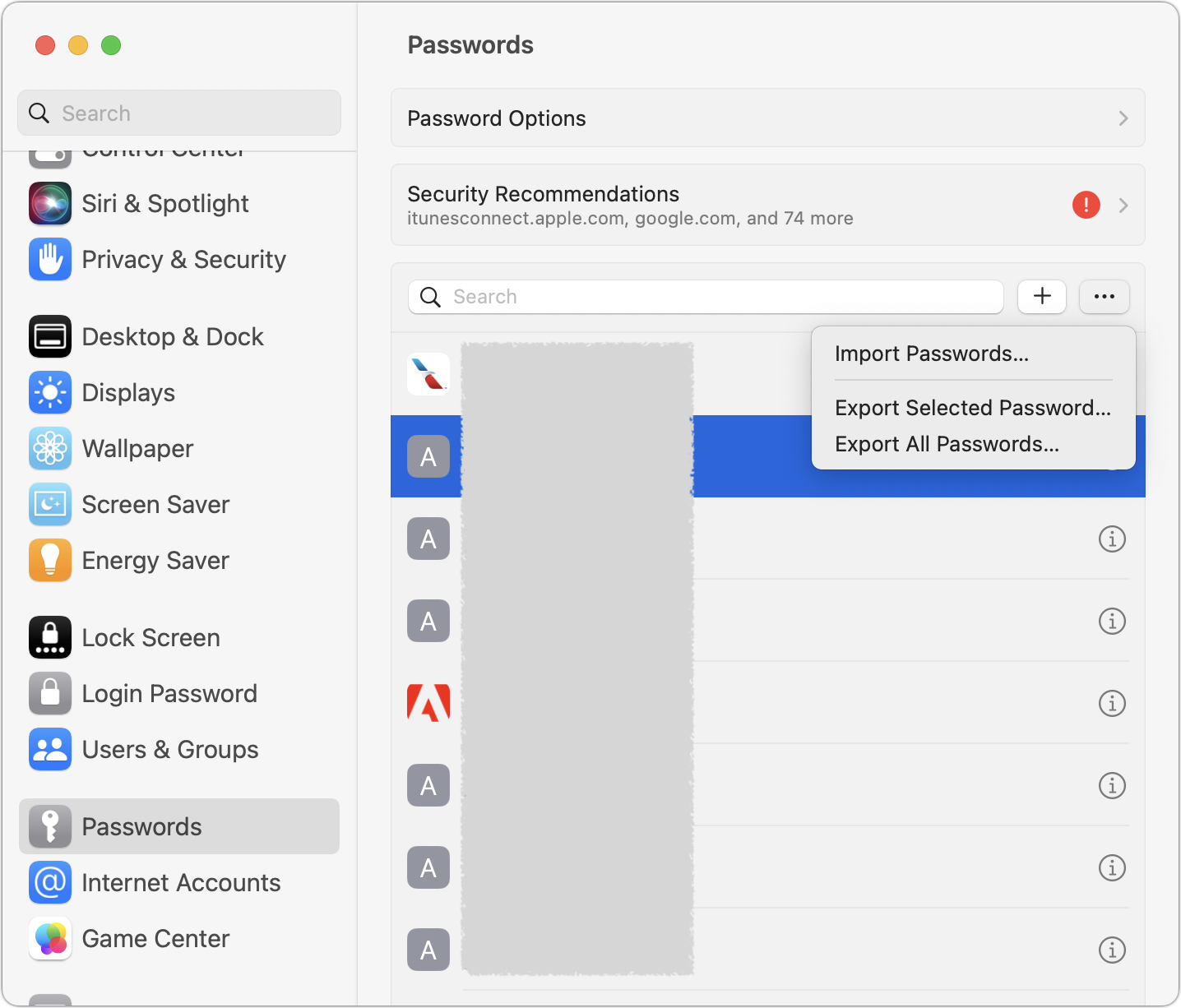
@adamengst @KingShawn @gruber Indeed, Daring Fireball’s mention of iOS already having so many apps led me to believe the postscript might still be about iOS, but there was an invisible switch at some point. The import feature only exists on MacOS.
