
#Microsoft
Oh My God, it's happening again.
I have a new Windows laptop, which means that #Microsoft #OneDrive has been stealthily taking various important-looking files hostage in its cloud, unasked for.
And now it's started sending me the threatening "we're getting low on storage space to hold all these important files, wouldn't you like to pay us money to make sure that nothing Bad happens to them?" popups.
It's horrific.
I have tried (in other times, on other computers) to turn off / remove / eradicate OneDrive, but it always comes back, and in every repetition of attempted destruction and re-emergence, it has scattered more little "Where are my files?" links around my disks, moved more of my files around, and made me suspect that more stuff has been lost.
How is this even legal?
I should just wean myself off. The thought of having to adopt to running various programs that I'm used to (the Firestorm viewer, Satisfactory, Wow, I dunno) is somehow enough to stop me from doing that, although compared to the horrors of OneDrive it seems a small enough price.
Perhaps I tell myself that THIS time I will surely defeat OneDrive once and for all!

re: #Microsoft
@ceoln
Wishing you the best, my corporate machine which is a Mac and I can assure you its worse on that platform.
re: #Microsoft
@dogriley
If only WoW ran on ChromeOS... :D


#Microsoft
@ceoln place your docs in a non-MyDocs folder and mark it as offline, or exclude it from the OneDrive library, perhaps
#Microsoft
@anjilslaire
My expectation is that various things would still put important files into a OneDrive-hostaged folder in that case, though.
I attribute a great deal of malicious intent to OneDrive. :D
#Microsoft
@anjilslaire
Google drive is just a place on the web that I can copy things in and out of. :) As far as I know, it never inserts itself into the local machine's filesystem and copies stuff in and out on its own. Let alone doing that even when I've explicitly told it not to!
But then that's not the part of #Google that I work in, so maybe it has features that I don't use or know about.
I've never had a #ChromeOS machine start mirroring things into Google Drive, as far as I know! The thing that confuses me about Drive is exactly how it relates to Docs (and Photos, and...). But that's just a conceptual problem, not a "it's doing stuff without me asking" problem.
Am I overlooking something?
#Microsoft
Oh, yes! :) I unlinked my previous PC at least twice, and both times it became "linked" again in whatever way (when Windows updated or something?).
The only way I knew it had done that was when I started getting the "pay us" popups. :)
'
Then when I got this new PC with Windows pre-installed, it of course had OneDrive pre-installed and turned on, and without my realizing it was uploading various things to the cloud and erasing them locally (!), and eventually I started getting the "Pay us" popups, and here I am!
I'm hoping that having set the magic registry setting will stick, although when I do a web search on the name of the key, some of what I get is people complaining about the key getting unexpectedly set (although set to the value that I want it to be, which might be comforting).
Maybe I should uninstall OneDrive completely, but then Windows tends to re-install stuff, so I dunno.
Suggestions always welcome, though! Thanks again.
#Microsoft
@ceoln ah, you can set a button within the OneDrive settings to keep everything locally at all times, also. But you can also place your files in non-synced folders outside of your profile directory, and/or configure folders inside your profile path to not sync.
Just trying to help 😉
#Microsoft
@anjilslaire
Thanks! Yeah, I expect I could if I knew what all of those words meant, and how to do all those things, and all. :)

#Microsoft
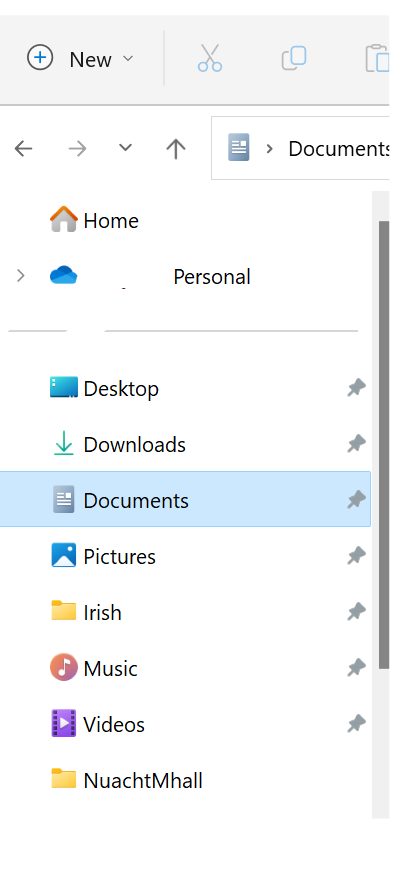
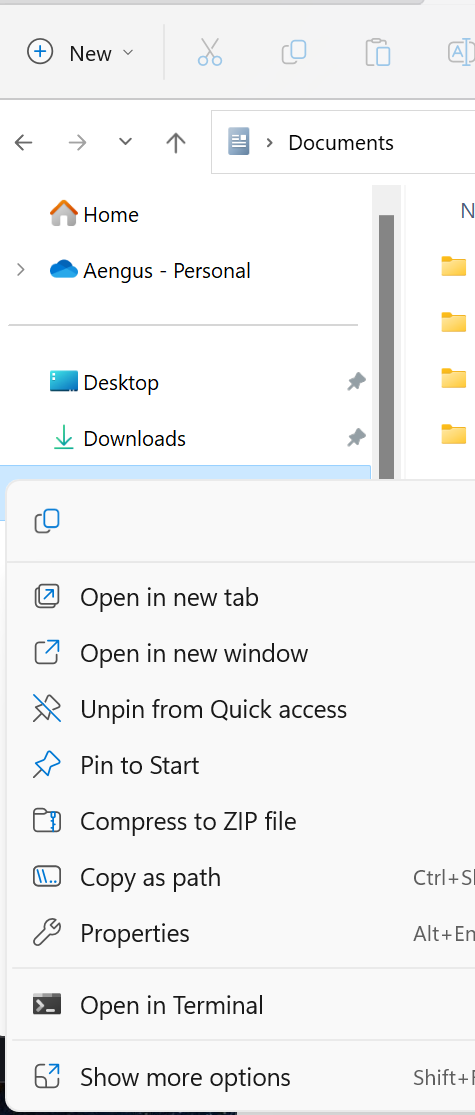
Right-click on the Documents library under Desktop in Windows Explorer.
Select Properties
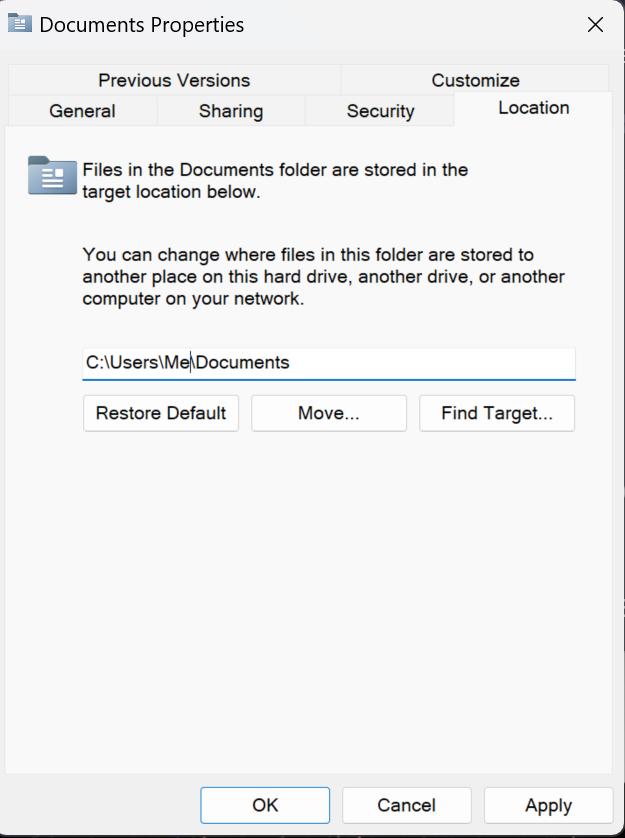
Click on the Location tab, and set a location that isn't in your OneDrive library.
Leave OneDrive alone - you're more likely to screw things up than you are to "fix" them, if you don't know what you're doing. (This is true of most things that people try to "fix" on their computers).
#Microsoft
@Sliotar
This assumes that I know what my "OneDrive library" is. :) What does that mean?
Also that only handles Documents; I believe it is (was) erasing and holding hostage files from other directories ("libraries"?) as well.
I'm happier to have nuked it as thoroughly from orbit as I was able to find instructions about.
#Microsoft
@Sliotar
(But thanks, though! I don't mean to sound ungrateful for the advice there; it's all good.)
#Microsoft
@Sliotar
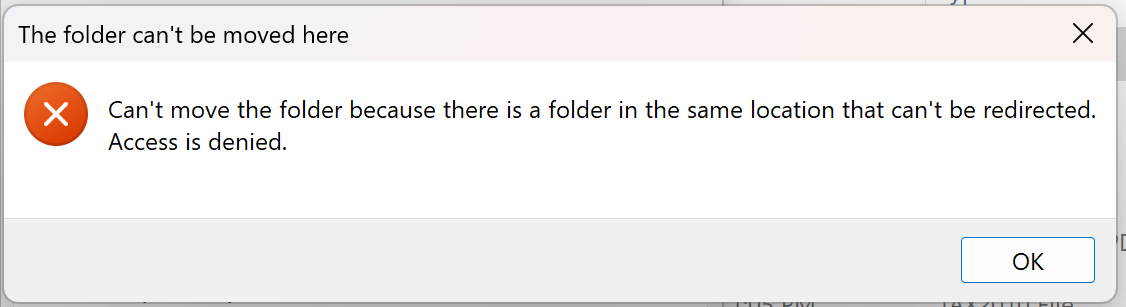
(Also, when I did try to change the location of Documents, it failed with a message about the new location already existing. Even when it didn't. 😁 )
#Microsoft
Did you take a screenshot of the error message?
#Microsoft
I was hoping that the error message would show the target that you had entered.
#Microsoft
@Sliotar
That'd be fancy! :)
It was just the obvious "C:\Users\xxxxx\Documents", where the current location is "C:\Users\xxxxx\OneDrive\Documents".
#Microsoft
Open OneDrive and go to Settings. Select Backup, them Manage Backup, and unselect Documents.
#Microsoft
Yeah, thanks. :) I know how it's supposed to work, and as I said in my OP I tried the obvious things on my prior machine, and they kept getting reverted.
I've now removed OneDrive from my machine entirely, so there's no OneDrive to open anymore. :)
Appreciate the thought, though!
#Microsoft
No, in your original post, you said that you told OneDrive "to keep everything locally", which tells OneDrive that you want OneDrive to keep a local copy of what's in the cloud, so that it will be available even if you're offline.
Even though I have a Microsoft 365 sub ($65/year shared between 4 people is a great deal), I have always said "No" to this option in the OOBE (you were asked for permission to turn this on, and you said yes).
#Microsoft
@Sliotar
Okay. I'm really not looking for lectures at this point.
I told Onedrive to keep everything locally as part of my procedure to remove it entirely, to make sure that it put back all the hostage files before I removed it. Before that, it was copying my files to Microsoft servers and erasing them locally, which appears to be the default.
I want ALL my files available right on my hard drive, and I don't want anything copied into the Microsoft "cloud", ever.
Possibly there was some setup option (like "accept defaults") that could be interpreted as meaning that I "gave it permission". I don't care.
#Microsoft
Apparently, uninstalling OneDrive doesn't remove whatever file permissions it set. If you want to properly relocate your Libraries, you'll have to re-install OneDrive, go into Manage Backups, and unselect the libraries that you don't want to store in the cloud.
#Microsoft
@Sliotar
(Deleted earlier reply in which I misunderstood what you were saying!)
Ah, thanks, that sort of makes sense. It would have been polite of OneDrive to fix the permissions at the time it was uninstalled, but whatever. I don't care that much about relocating the official Documents directory; certainly not enough to risk reinstalling OneDrive. :)

#Microsoft
Okay, I have now:
In its settings, told #OneDrive to keep everything locally.
Told OneDrive to "unlink" or whatever this "PC". (Because of the prior thing, the "Are you sure?" popup didn't darkly hint that I would lose access to some files, which is nice.)
Turned off every setting in the OneDrive settings that appeared to tell it to do anything.
Gone into regedit and in:
HKEY_LOCAL_MACHINE\Software\Policies\Microsoft\Windows\OneDrive
made a DWORD key called
DisableFileSyncNGSC
and set it to 1 (one).
We'll see if that works!
#Windows still thinks that my official #Documents "folder" has a path name containing "OneDrive", but perhaps that is benign...