
#Microsoft
Oh My God, it's happening again.
I have a new Windows laptop, which means that #Microsoft #OneDrive has been stealthily taking various important-looking files hostage in its cloud, unasked for.
And now it's started sending me the threatening "we're getting low on storage space to hold all these important files, wouldn't you like to pay us money to make sure that nothing Bad happens to them?" popups.
It's horrific.
I have tried (in other times, on other computers) to turn off / remove / eradicate OneDrive, but it always comes back, and in every repetition of attempted destruction and re-emergence, it has scattered more little "Where are my files?" links around my disks, moved more of my files around, and made me suspect that more stuff has been lost.
How is this even legal?
I should just wean myself off. The thought of having to adopt to running various programs that I'm used to (the Firestorm viewer, Satisfactory, Wow, I dunno) is somehow enough to stop me from doing that, although compared to the horrors of OneDrive it seems a small enough price.
Perhaps I tell myself that THIS time I will surely defeat OneDrive once and for all!

#Microsoft
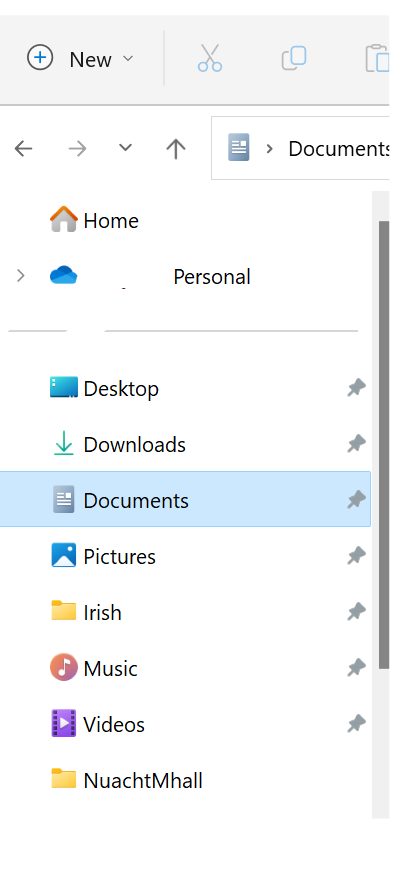
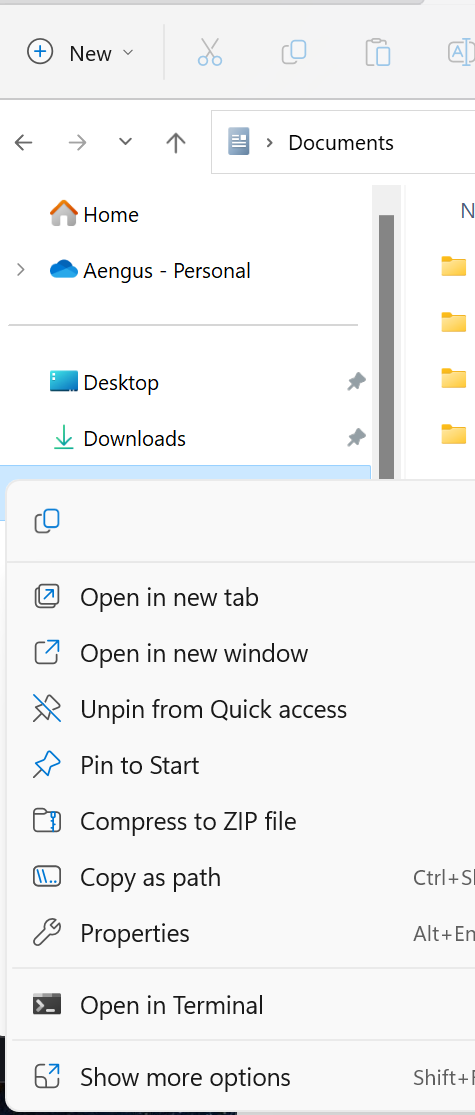
Right-click on the Documents library under Desktop in Windows Explorer.
Select Properties
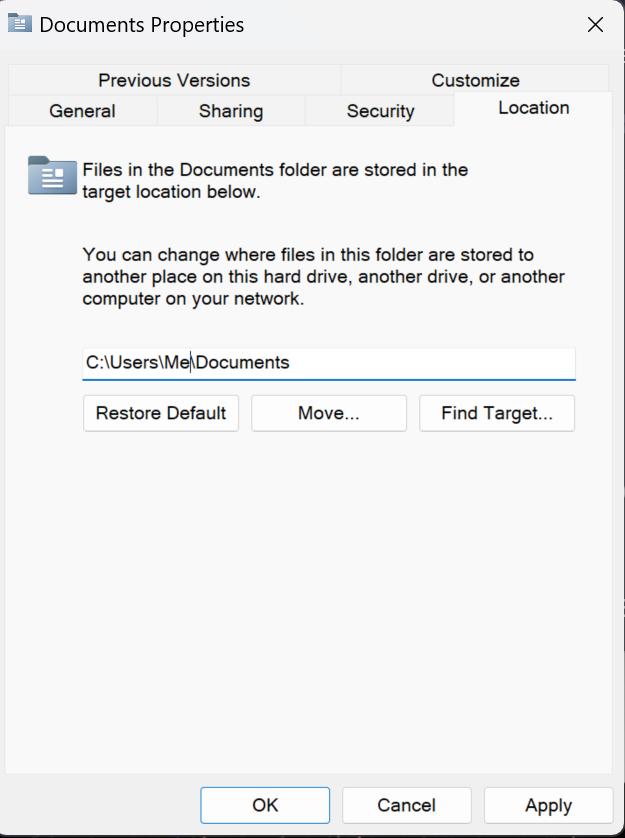
Click on the Location tab, and set a location that isn't in your OneDrive library.
Leave OneDrive alone - you're more likely to screw things up than you are to "fix" them, if you don't know what you're doing. (This is true of most things that people try to "fix" on their computers).
#Microsoft
@Sliotar
This assumes that I know what my "OneDrive library" is. :) What does that mean?
Also that only handles Documents; I believe it is (was) erasing and holding hostage files from other directories ("libraries"?) as well.
I'm happier to have nuked it as thoroughly from orbit as I was able to find instructions about.
#Microsoft
@Sliotar
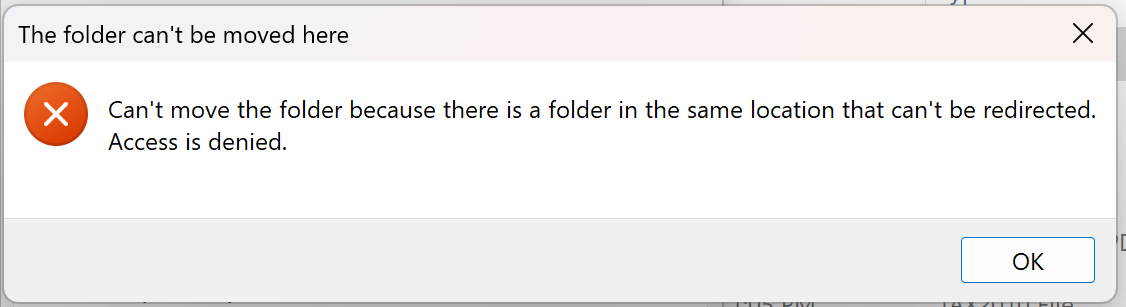
(Also, when I did try to change the location of Documents, it failed with a message about the new location already existing. Even when it didn't. 😁 )
#Microsoft
Did you take a screenshot of the error message?
#Microsoft
I was hoping that the error message would show the target that you had entered.
#Microsoft
@Sliotar
That'd be fancy! :)
It was just the obvious "C:\Users\xxxxx\Documents", where the current location is "C:\Users\xxxxx\OneDrive\Documents".
#Microsoft
Open OneDrive and go to Settings. Select Backup, them Manage Backup, and unselect Documents.
#Microsoft
Yeah, thanks. :) I know how it's supposed to work, and as I said in my OP I tried the obvious things on my prior machine, and they kept getting reverted.
I've now removed OneDrive from my machine entirely, so there's no OneDrive to open anymore. :)
Appreciate the thought, though!
#Microsoft
@Sliotar
(Deleted earlier reply in which I misunderstood what you were saying!)
Ah, thanks, that sort of makes sense. It would have been polite of OneDrive to fix the permissions at the time it was uninstalled, but whatever. I don't care that much about relocating the official Documents directory; certainly not enough to risk reinstalling OneDrive. :)
